





About the Venue
Valley Club is located at Bilton Ln, Harrogate HG1 4DL
Upcoming Events
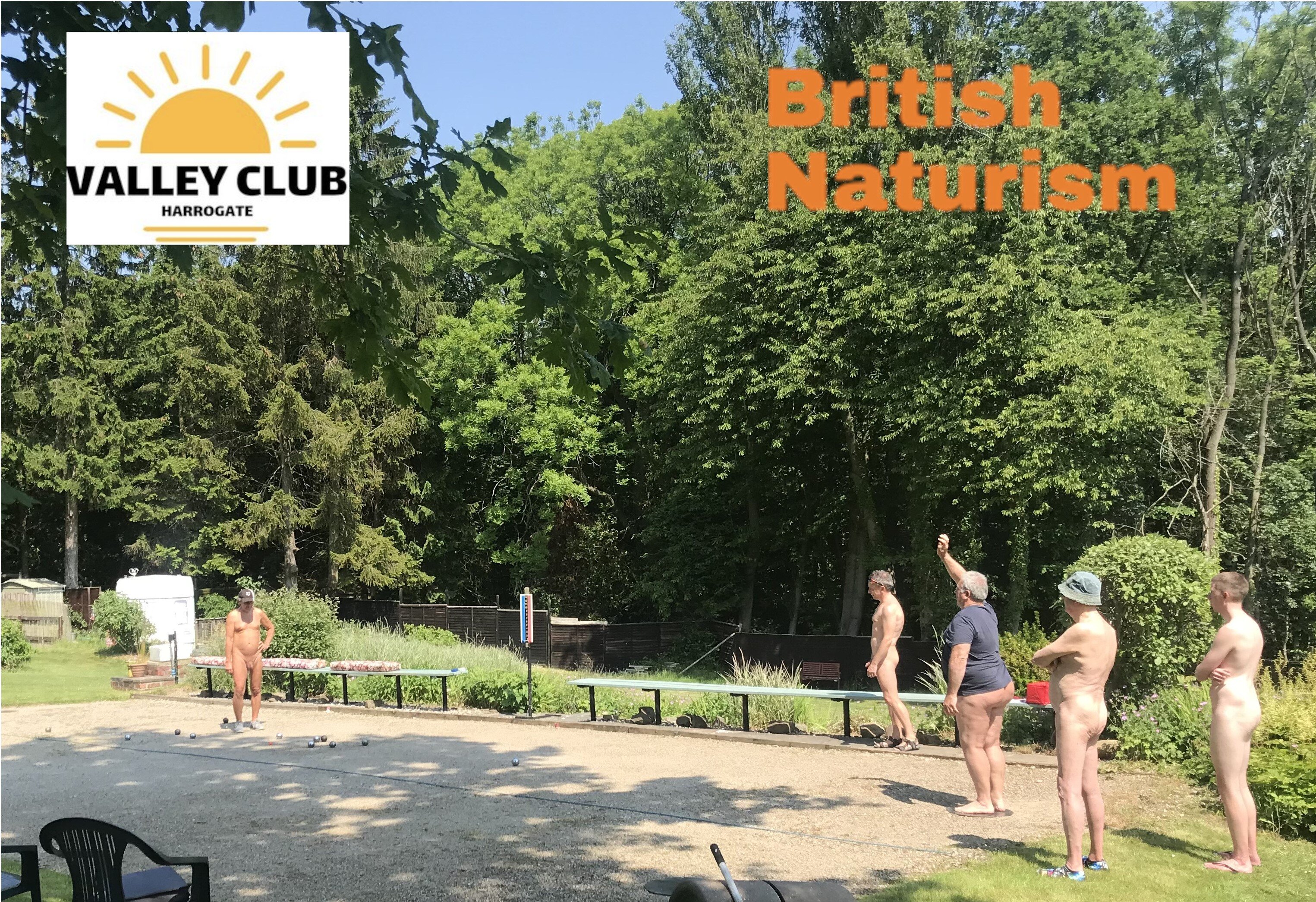

Boules Taster Day
Saturday August 9th 2025
Whether you're a complete beginner or a regular player, we're delighted to invite you to a naturist Boules Taster Day at Valley Club in Harrogate.
We'll start the day with some gentle tuition, before breaking for lunch and then having a friendly competition in the afternoon. You're welcome to explore the rest of the club's facilities when you're not playing - there are expansive lawns giving plenty of space in which to sunbathe, although there is no expectation that anyone will undress if the weather is cool.
The price for the day is £15 per person - this includes your day visit charge, tuition and light refreshments (drinks and cake). To book, please use the form below; we will then contact you to arrange payment
Provisional Timetable – Times are approximate
1000-1100: Arrival and refreshments 1100-1230: Boules tuition and friendly games 1230-1400: Break. Picnic lunches and time to enjoy the club’s facilities 1400-1600: Boules tournament After 1600: Enjoy the club’s facilities and leave at your convenience.
The clubhouse will be open and we'll be serving tea/coffee and cake throughout the day. Other drinks will be available for purchase from the clubhouse bar (cash only), but we advise that you bring a picnic for your lunch. Please also remember to bring a towel to sit or lie on and sun cream – hopefully the weather will be sunny! Unless they're discrete.
We do still have space available for overnight visitors, so if you have a tent, caravan or motorhome and would like to book to stay overnight on either Friday or Saturday please click here.
If you have any queries about the club or about the day please use the contact form here https://valley-sun-club.co.uk/boules.html
Saturday August 9th 2025
Whether you're a complete beginner or a regular player, we're delighted to invite you to a naturist Boules Taster Day at Valley Club in Harrogate.
We'll start the day with some gentle tuition, before breaking for lunch and then having a friendly competition in the afternoon. You're welcome to explore the rest of the club's facilities when you're not playing - there are expansive lawns giving plenty of space in which to sunbathe, although there is no expectation that anyone will undress if the weather is cool.
The price for the day is £15 per person - this includes your day visit charge, tuition and light refreshments (drinks and cake). To book, please use the form below; we will then contact you to arrange payment
Provisional Timetable – Times are approximate
1000-1100: Arrival and refreshments 1100-1230: Boules tuition and friendly games 1230-1400: Break. Picnic lunches and time to enjoy the club’s facilities 1400-1600: Boules tournament After 1600: Enjoy the club’s facilities and leave at your convenience.
The clubhouse will be open and we'll be serving tea/coffee and cake throughout the day. Other drinks will be available for purchase from the clubhouse bar (cash only), but we advise that you bring a picnic for your lunch. Please also remember to bring a towel to sit or lie on and sun cream – hopefully the weather will be sunny! Unless they're discrete.
We do still have space available for overnight visitors, so if you have a tent, caravan or motorhome and would like to book to stay overnight on either Friday or Saturday please click here.
If you have any queries about the club or about the day please use the contact form here https://valley-sun-club.co.uk/boules.html

