





- Region: SW1
Latitude: 52.035214
Longitude: -4.2108583Address:
Maesycrugiau
Carmarthenshire
SA39 9DHContact Details:
Name: Jo or Mike
Tel: 01559 395 820 or 07534 926 822
Email: jo@dolcoed.co.uk
Website: http://www.dolcoed.co.uk
If you’re lucky enough to be Welsh you’ll know that Dolcoed means (as near as possible because this is Wales after all) ‘meadow in the wood’. It can also be spelt dol-y-coed or dolycoed. Then of course, there’s also a lake in the meadow in the wood, which would result in an even longer name!
Dolcoed is situated near the hamlet of Maesycrugiau (maize-uh-crig-ee-eye!) on the border between Carmarthenshire and Ceredigion (Cardiganshire) which some call ‘real Wales’, and just a short hop from the delights of Pembrokeshire which has over time been called ‘little England beyond Wales’.
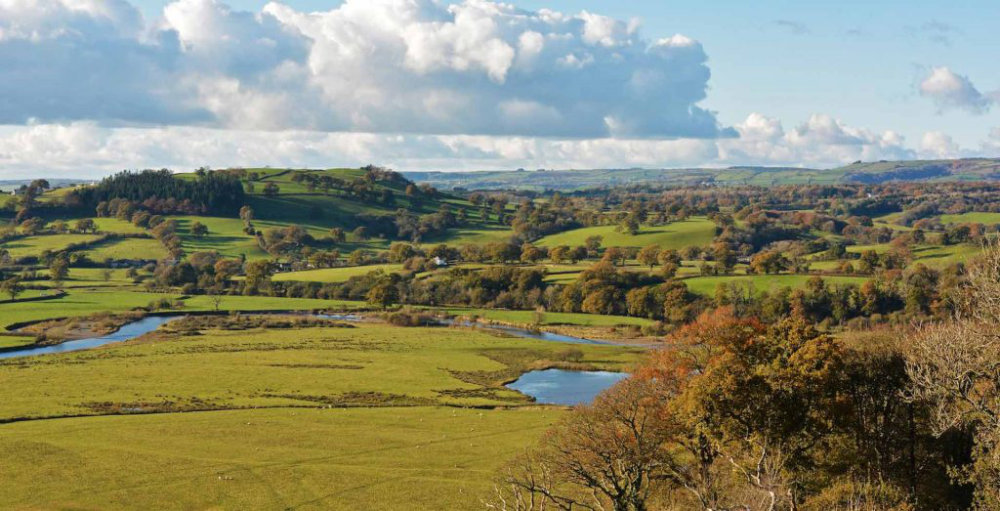
Nestled in a naturally sheltered site, views from Dolcoed take in the mountainous forested landscapes of the western Brecon Beacons and the Cambrian Mountains. Mountain streams and waterfalls eventually wend into the salmon-rich River Teifi as it forms a valley along the north-west Carmarthenshire border.
Way above the picturesque and bustling valley towns and villages, and the peaceful pastures that separate them, is the lofty province of wildlife. Known as the King of Wales and unofficially the national bird of Wales, the Red Kites rule the skies as they glide, swoop. Joining the kites for airspace are buzzards too, and as dusk settles differing varieties of bats silently scoop up their supper. After a nice dinner and maybe a relaxing glass of wine you could even witness a dragon winging its way back to a night-time lair!
The nearby award-winning coastline, which is both rugged and beautiful too, has its share of marine wildlife. With a bit of patience it’s possible to see bottlenose dolphins and grey seals quite close to the sheltered beaches while whales and island colonies of seabirds occupy the more open Irish Sea.
-
 3
3

